


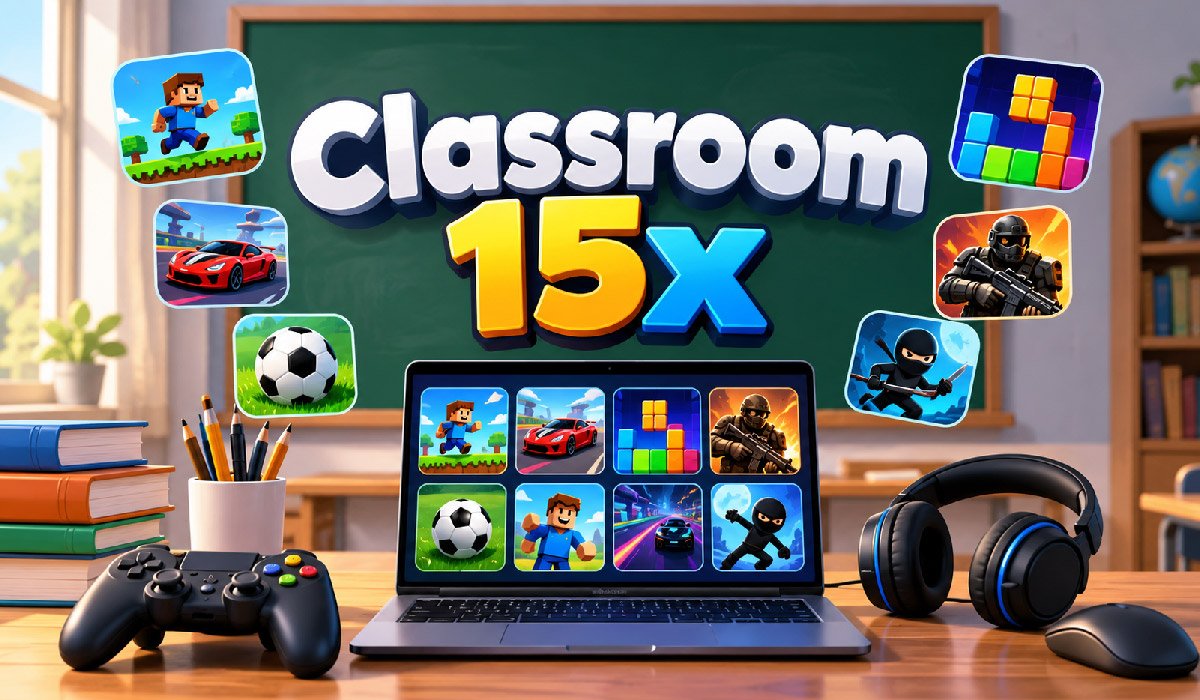
Classroom 15x is a name connected mainly with browser-based online gaming. People search for it because they want quick access to different games without installing large programs on their computers or mobile devices. The website brings multiple types of games together, making it easier for users to browse titles and start playing through a compatible web browser.
The name can sometimes create confusion. Some online articles describe Classroom 15x as an educational platform with advanced classroom tools, while other information presents Classroom15x.com mainly as a browser gaming website. These are important differences because users should understand what they are actually visiting before expecting learning-management features.
This guide explains Classroom 15x in detail, including how it works, its game categories, popular titles, device support, account options, privacy considerations, school access, and safety. It also explains whether its games can have educational value and what students, parents, and teachers should consider before using the site.
What Is Classroom 15x?
Classroom 15x is best understood as a website that provides access to a collection of online browser games. Instead of downloading every game as separate software, users can visit the website, find an available title, and normally launch it through their browser. This makes the platform convenient for people interested in simple and quick online gaming.
The website contains different types of entertainment rather than focusing on a single game genre. Reported categories include puzzle, arcade, sports, driving, adventure, shooting, simulation, horror, multiplayer, and mobile-friendly games. This variety allows users to move between different gaming experiences from one website.
It is important to separate Classroom 15x from formal educational platforms. Despite having “Classroom” in its name, the gaming website should not automatically be treated like Google Classroom, Khan Academy, or another structured learning service. Some individual games can involve logic or problem-solving, but the overall website is primarily associated with browser gaming rather than a complete school curriculum.
How Classroom 15x Works
Classroom 15x follows a straightforward browser-based model. A user visits the website with an internet-connected device, looks through available games, chooses a title, and opens it. Most normal gameplay is designed to happen inside the browser, which removes the need to install a separate desktop application for every game a person wants to try.
Browser gaming can be especially convenient for short sessions. Traditional games may require large downloads, installation space, updates, and specific hardware. A browser game can often begin much faster. However, performance still depends on factors such as the individual game, browser version, internet connection, available device memory, and processing power.
Users should remember that not every game on Classroom 15x will behave in exactly the same way. A lightweight puzzle title may run smoothly on many devices, while a more demanding racing or action game could require better hardware. Controls can also differ, with certain games working better with a keyboard and mouse than with a touchscreen.
Main Features of Classroom 15x
One important feature of Classroom 15x is the variety available within one browser-based location. Instead of searching different websites for puzzle, racing, arcade, or multiplayer games, visitors can explore multiple categories. Game discovery sections may also help users find recently added, popular, rising, or randomly selected titles without already knowing what they want to play.
Another useful feature is the browser-first approach. Users generally do not need a traditional Windows program or mobile game package for normal browser play. This can save storage space and reduce the time required to begin a game. The platform also includes mobile-friendly options intended to make finding suitable games easier for smartphone and tablet users.
Login and sign-up options have also been associated with Classroom 15x. However, the presence of registration options does not necessarily mean every game requires an account. Basic browser access and account-based functions can be different. Users should check the current website before registering and should avoid providing personal information that is unnecessary for the feature they want to use.
Game Categories on Classroom 15x
The broad selection of genres is a major part of the Classroom 15x experience. Reported categories include Sports, Arcade, Adventure, Driving, Puzzle, Idle and Clicker, Shooting, Simulation, Horror, Funny, Multiplayer, and Mobile-Friendly. Having separate categories helps visitors narrow down a large game collection instead of searching through unrelated titles one by one.
Puzzle and arcade categories can suit people looking for quick games with relatively simple objectives. Driving games generally focus on vehicles, racing, tracks, speed, and control challenges. Sports titles can provide digital versions of competitive activities, while simulation games may recreate particular tasks or situations. Idle and clicker games usually rely on repeated actions and gradual progress.
The Shooting and Horror categories are particularly important for parents to notice. The word “Classroom” might sound educational or child-focused, but that does not mean every available title is suitable for every age. Classroom 15x can contain entertainment with combat or frightening themes, so parents and teachers should evaluate individual games instead of judging suitability from the website’s name alone.
Popular Games Available on Classroom 15x
Classroom 15x has been associated with many recognizable browser games. Reported examples include OvO, Tiny Fishing, Stickman Hook, Slope, BitLife, Block Blast, Minecraft Classic Sandbox, Polytrack, Level Devil, 1V1 LOL, Recoil, Moto Maniac, Snake.io, Slice Master, Run 2, B-CUBED, Spider Solitaire, Space Waves, and other browser-friendly titles.
Different games provide very different experiences. Slope is associated with fast movement and reaction-based play, while titles such as B-CUBED and Spider Solitaire require a different type of attention and planning. Racing, arcade, puzzle, and multiplayer titles therefore appeal to users for different reasons rather than offering one standard style of gameplay.
Game availability on Classroom 15x should not be considered permanent. Browser gaming libraries can change when titles are added, removed, reorganized, or updated. Sections such as Hot Games or New Games can also change as user interest changes. Anyone searching for one particular game should check the current website instead of relying on an older list published elsewhere.
Puzzle, Arcade, and Thinking Games
Puzzle games are an interesting part of Classroom 15x because they can combine entertainment with mental challenges. Reported examples include 2048, B-CUBED, Block the Pig, Fireboy and Watergirl, Spider Solitaire, Hexagon Puzzle, and similar titles. Depending on the game, players may need to recognize patterns, plan moves, understand spatial relationships, or solve a problem within specific rules.
Arcade games usually offer a different experience. They often have simple objectives that players can understand quickly, while successful play may require timing, concentration, coordination, or fast reactions. Reported titles such as Doodle Jump, Crossy Road, Drift Boss, Flappy Bird, Snake.io, Run 2, and Slice Master fit the general quick-play style associated with browser gaming.
These skills can have value, but Classroom 15x games should not automatically be called educational simply because they require thinking. Formal education normally includes defined learning objectives, instruction, assessment, and structured progress. A puzzle game can exercise certain skills while still being primarily designed as entertainment.
Racing, Shooting, Action, and Horror Games
Classroom 15x is not limited to calm puzzle or casual games. Its reported library also includes driving, racing, shooting, action, and horror categories. Racing examples associated with the wider game collection include Top Speed Racing 3D, Real City Driving 2, Highway Racer 3D, Go Kart Go Ultra, and Moto Maniac. These games generally emphasize movement, control, speed, and reaction time.
Shooting and action games introduce another type of content. Titles such as Bullet Force and Gun Mayhem 2 have been associated with the platform’s game selection. The site has also reportedly offered horror content, including games such as Granny. Such titles can include combat, frightening settings, dark themes, or other material that may not suit younger players.
For this reason, parents should review specific Classroom 15x games rather than treating the entire library as one age category. A simple puzzle game and a horror game can have completely different content. Checking the individual title, gameplay style, and online features gives a much clearer picture of suitability.
Multiplayer Gaming on Classroom 15x
Multiplayer games allow Classroom 15x users to experience titles involving other players rather than always playing alone. Games reported in multiplayer collections include 1V1 LOL, Basketball Stars, Basketball Legends, Getaway Shootout, Gun Mayhem 2, Among Us, and Snake.io. The exact multiplayer experience depends on how each individual game has been designed.
Some multiplayer games are mainly competitive. Players may race, fight, score points, or attempt to survive longer than their opponents. Other titles can include elements of cooperation or shared objectives. These experiences may encourage quick decision-making and communication, but the features available in one multiplayer title should not be assumed to exist in another.
Online interaction also creates additional considerations for younger Classroom 15x users. If a game supports communication or interaction with strangers, children should understand basic online-safety rules. Personal information such as a real name, address, school, phone number, passwords, or exact location should never be shared casually with unknown players.
Classroom 15x on Chromebooks, Phones, and Tablets
Classroom 15x is designed around web-browser access, which can make it usable across different types of devices. Reported options include desktop computers, laptops, Chromebooks, tablets, and smartphones. This flexibility is useful because browser games generally do not depend on users installing a separate full-size application for every title they want to play.
Compatibility can still vary significantly between games. A puzzle title with simple controls may work comfortably on a smartphone or tablet. A racing or action game designed around keyboard controls may be much easier on a desktop computer or Chromebook. Classroom 15x includes a Mobile-Friendly category to help visitors locate titles more appropriate for touchscreen devices.
School-owned Chromebooks require another consideration. Managed devices can contain restrictions chosen by the school or network administrator. A game that opens normally on a personal computer may therefore be unavailable on a school Chromebook. Browser compatibility does not override device-management rules, internet filters, or acceptable-use policies established by a school.
Does Classroom 15x Require an Account?
Information about Classroom 15x accounts can appear confusing because different sources describe access differently. Login and Sign Up options have been reported on the website, showing that some form of account functionality exists or has existed. At the same time, other descriptions suggest users can open at least some browser games without first passing through a mandatory registration process.
These statements are not necessarily contradictory. A website can provide optional accounts while leaving basic content accessible to visitors. Registration could also be connected with particular functions rather than every game. Because website features can change, users should check the current Classroom 15x interface to determine exactly what requires an account when they visit.
Privacy remains important whether registration is optional or required. Users should provide only information needed for the service they choose to use. Children should be especially careful with names, email addresses, school information, phone numbers, locations, and other identifying details. Parents can review registration requirements before allowing younger users to create accounts.
Is Classroom 15x Free to Play?
Classroom 15x has been presented as providing free browser-based gaming. This approach allows visitors to open available games without purchasing and installing each title traditionally. Free access is one reason browser game websites can appeal to people who want casual entertainment without committing to large downloads or expensive gaming software.
However, “free” describes the price of access and should not automatically be interpreted as meaning there are no advertisements, cookies, or other website technologies. Free websites commonly support their services through advertising or related systems. Users should therefore distinguish between free gameplay and an entirely ad-free or data-free browsing experience.
The business model and available features of Classroom 15x can also change. A website that offers free access today could introduce different services, account functions, advertisements, or optional paid features later. Visitors interested in current costs should rely on information displayed on the active website rather than assuming that older descriptions remain accurate indefinitely.
Privacy, Cookies, and Advertising
Privacy is an important consideration when using Classroom 15x or any browser gaming website. Reported privacy information associated with the site discusses standard internet data such as IP addresses, browser types, internet service providers, dates and times, visited pages, and cookies. These technologies can be used for website operation, analytics, advertising, and related functions.
Advertising should also be considered separately from game access. Reports about current pages have described areas marked for advertisements and references to advertising partners or advertising cookies. Therefore, users should not assume that Classroom 15x is completely ad-free simply because another article or an older description makes that claim. Website advertising arrangements can change over time.
Parents should pay closer attention when children use browser gaming services. Before creating an account or entering personal details, reading the current privacy policy can help explain what information may be collected and why. Browser privacy settings can provide additional controls, but blocking certain cookies may also affect how some website features operate.
Is Classroom 15x Safe for Students?
The safety of Classroom 15x cannot be judged only from its name because several separate issues are involved. Website security, advertising, privacy, individual game content, and multiplayer interaction all affect the experience. Users should first make sure they are visiting the intended website rather than an imitation page using a similar name or design.
Normal browser gaming is different from downloading unknown software. If an unfamiliar page unexpectedly asks users to install an EXE file, APK, browser extension, or other program, they should verify the source before proceeding. Browser security warnings should not be ignored. Users should also avoid entering passwords or personal information into pages they do not trust.
Content suitability depends on individual Classroom 15x games. Puzzle and casual titles may be appropriate for a broad audience, while horror, shooting, combat, or multiplayer games require more careful consideration. Parents and teachers can review specific games before younger students play them rather than assuming every title is designed for children.
Classroom 15x and Unblocked Games at School
Classroom 15x is often discussed alongside the phrase “unblocked games.” In this context, an unblocked game generally means a browser game that remains accessible through a network where certain gaming websites might be restricted. However, being described as unblocked does not guarantee that Classroom 15x will open on every school network or managed device.
Schools control their own internet filters, device settings, and acceptable-use policies. Administrators can block a gaming website whenever it conflicts with local rules or classroom requirements. A website opening successfully on a school Chromebook also does not necessarily mean a teacher or school has approved its use during lessons.
Students should follow their school’s technology rules and use games only at appropriate times. If Classroom 15x is blocked, attempting to bypass network restrictions is not an appropriate solution. Browser games are better treated as optional entertainment for permitted breaks or free periods rather than something that interferes with assignments, lessons, or other responsibilities.
Is Classroom 15x an Educational Platform?
Despite its name, Classroom 15x is better understood as a browser gaming website than a complete digital learning platform. Some online descriptions connect the term with classroom technology, personalized learning, artificial intelligence, progress tracking, lesson planning, or other advanced educational functions. Such descriptions should not automatically be treated as features of the browser gaming website.
Individual games can still involve useful mental skills. Puzzle games may require logical thinking, pattern recognition, memory, and planning. Arcade or racing games can require timing, attention, and coordination. Strategy and multiplayer games may involve decision-making or cooperation. These characteristics can make selected games interesting as short activities, but they do not create a structured curriculum.
Formal learning services generally provide clear educational objectives, lessons, assignments, assessments, teacher controls, or measurable learning progress. Classroom 15x should therefore not be considered a direct replacement for platforms such as Google Classroom, Khan Academy, Kahoot!, or Quizizz. Its main role remains browser-based gaming and entertainment.
Benefits and Limitations of Classroom 15x
Classroom 15x offers several practical advantages for browser-game users. It brings different genres together, reduces the need for traditional game installations, provides quick access through compatible browsers, and includes options for desktop and mobile users. Its puzzle, arcade, racing, sports, action, and multiplayer categories also provide more variety than a website dedicated to only one type of game.
There are limitations as well. Easy access can become distracting when games are played during lessons or study time. Shooting and horror content may not suit younger children; multiplayer titles can introduce online interaction, advertisements may affect the browsing experience; and privacy practices deserve attention. Individual games may also perform differently depending on hardware and browser compatibility.
School access presents another limitation. Classroom 15x may be blocked on managed networks even when it works normally at home. Most importantly, it should not be confused with a formal education system. Users can enjoy its games while recognizing the difference between entertainment and structured academic learning.
Tips for Using Classroom 15x Responsibly
Responsible use begins with choosing an appropriate time to play Classroom 15x games. Students should complete lessons, assignments, and important tasks before starting entertainment. Setting a clear time limit can prevent a short break from becoming a long gaming session. School devices should always be used according to teacher instructions and institutional technology policies.
Game selection also matters. Parents can review horror, shooting, action, and multiplayer titles before allowing younger children to play. Mobile users can explore the Mobile-Friendly section for games better suited to touchscreens. Users should protect personal information and avoid sharing passwords, addresses, school details, phone numbers, or precise locations with unknown people.
Basic web safety should remain part of every session. Check the website address, pay attention to browser warnings, and be cautious when a third-party page requests an unexpected download. Normal browser games generally should not require users to install unknown EXE files, APK packages, or suspicious browser extensions just to begin playing.
Final Thoughts
Classroom 15x is mainly associated with a browser-based gaming website that brings many online games into one accessible location. Users can explore categories such as arcade, puzzle, sports, driving, adventure, simulation, multiplayer, shooting, horror, and mobile-friendly games. Its browser-focused design can make casual gaming convenient across computers, Chromebooks, tablets, and smartphones.
The platform’s name should not cause users to mistake it for a complete classroom-management or online-learning system. Some games can involve logic, planning, coordination, or problem-solving, but these qualities are different from structured lessons, assessments, teacher dashboards, and academic progress tracking found on dedicated educational platforms.
Anyone using Classroom 15x should consider game content, privacy, advertising, device compatibility, and school rules. Parents should review titles for younger players, while students should use games only at appropriate times. Understanding these points makes it easier to use the platform as browser entertainment without confusing its purpose with formal education.
(FAQs)
What is Classroom 15x?
Classroom 15x is mainly associated with a browser-based gaming website where users can access different online games. Its reported categories include puzzle, arcade, racing, sports, action, multiplayer, simulation, and other games.
Is Classroom 15x free to use?
Classroom 15x has been presented as offering free browser games. Users should check the current website for updated information about access, advertising, account features, or any services that may change over time.
Do I need to download games from Classroom 15x?
Generally, Classroom 15x games are designed to run through a web browser without traditional software installation. Users should be cautious if an unfamiliar third-party page unexpectedly requests an EXE, APK, extension, or other download.
Does Classroom 15x require an account?
Login and sign-up options have been associated with Classroom 15x, while some games may be accessible without registration. Account requirements can change, so users should check the current website before using specific features.
Can Classroom 15x work on a Chromebook?
Classroom 15x is associated with browser-based access and may work on compatible Chromebooks. However, school-managed Chromebooks can have network filters and administrative restrictions that prevent gaming websites from opening.
Can I play Classroom 15x games on a phone?
Some Classroom 15x games may work on smartphones and tablets through a compatible browser. Games designed around keyboard and mouse controls may provide a better experience on laptops or desktop computers.
Is Classroom 15x safe for students?
Students should evaluate individual games carefully because the library can include puzzle and casual titles alongside shooting, action, horror, and multiplayer games. Privacy, advertising, online interaction, and age suitability should also be considered.
Is Classroom 15x an educational platform?
Classroom15x.com is primarily associated with browser gaming rather than a formal learning-management system. Some games may involve logic or problem-solving, but that differs from structured lessons, assessments, courses, and teacher-management tools.
