


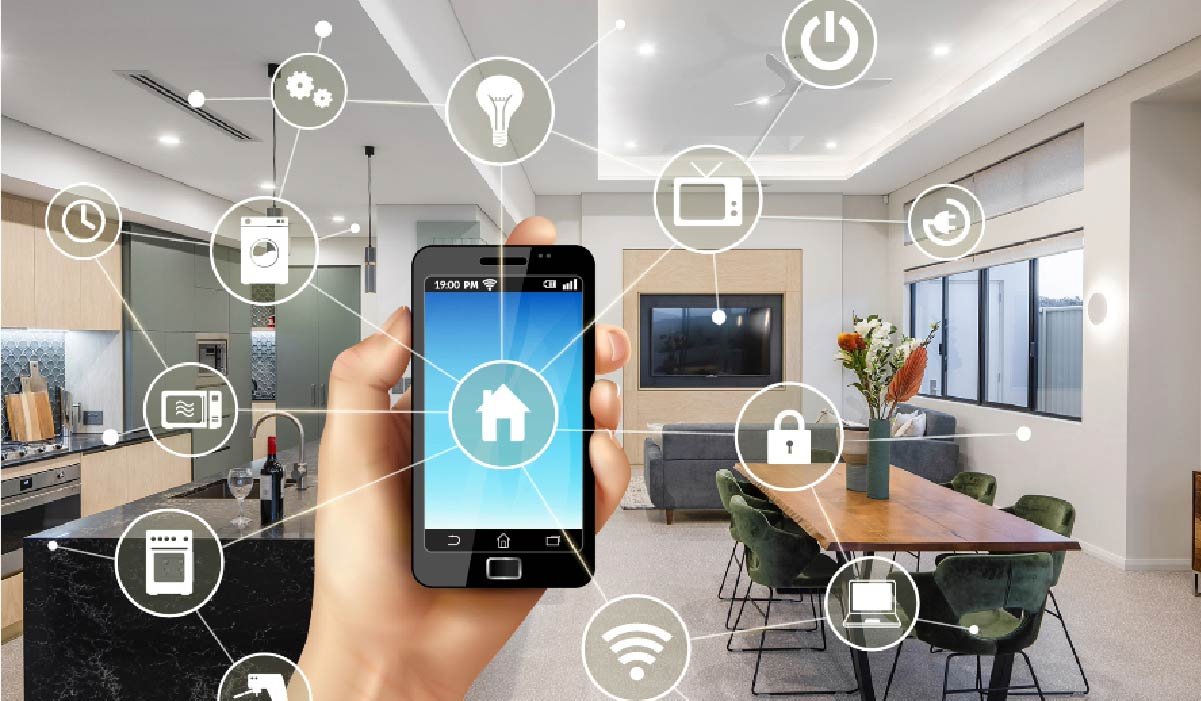
Smart technology has become an important part of modern residential living, giving homeowners new ways to control lighting, climate, entertainment, security, networking, and access throughout their properties. Rather than managing each system independently, connected technology can bring compatible devices together into a coordinated environment that is easier to operate and adapt. A well-designed smart home is not simply a collection of products connected to the internet. It requires careful planning, dependable network infrastructure, appropriate equipment, professional installation, and configuration based on how the property is actually used. A professional home automation company can help homeowners identify practical opportunities for automation and develop a technology environment that supports both everyday convenience and long-term flexibility. From automated lighting and climate management to entertainment, surveillance, access control, and networking, modern automation can connect many important functions while allowing homeowners to maintain control over how individual systems operate.
Understanding the Role of Smart Technology
Home automation can simplify many routine activities by allowing compatible systems to respond to schedules, commands, sensors, or centralized controls. Homeowners may choose to automate only a few selected functions or develop a more comprehensive technology environment involving multiple areas of the property. The right approach depends on household routines, property size, existing infrastructure, and individual preferences. Automation should solve practical problems rather than introduce unnecessary complexity. For example, automated lighting can simplify control across multiple rooms, while smart climate technology can help manage temperature settings according to daily schedules. Connected entertainment systems can provide centralized control, while access and surveillance technologies can support greater awareness around the property. By considering how each system contributes to the overall environment, homeowners can create technology that feels useful and natural rather than overwhelming.
Establishing Reliable Network Infrastructure
A dependable network is one of the most important foundations of a connected home because many automated devices rely on consistent communication. Smart lighting, cameras, thermostats, speakers, televisions, access controls, mobile devices, and other connected equipment may all depend on wired or wireless networking. As the number of devices increases, an existing network may not always provide sufficient coverage or capacity. Larger properties can also experience connectivity challenges because walls, floors, distance, and equipment placement can affect wireless performance. Professional network planning can help determine whether additional wireless access points, mesh Wi-Fi, switches, or wired connections are appropriate. A properly designed network can support automation while also serving computers, entertainment equipment, smartphones, surveillance systems, and everyday internet use. Establishing this infrastructure early can make the entire smart-home environment more stable and provide a stronger foundation for future technology additions.
Automating Residential Lighting
Lighting automation can provide one of the most noticeable improvements in everyday convenience. Homeowners can use smart controls to manage individual lights, groups of fixtures, or entire areas through compatible interfaces. Scheduled lighting can support regular routines, while scenes can allow multiple lights to change together for activities such as relaxing, entertaining, reading, or preparing for bedtime. Automation does not have to eliminate manual control. Instead, a well-designed system can provide both automatic functions and traditional controls so homeowners can choose the method that works best in a particular situation. The effectiveness of smart lighting depends on appropriate equipment, compatible controls, proper installation, and reliable communication. Professional configuration can help ensure that lighting technology works consistently throughout the property and can also make future additions easier. A thoughtfully planned lighting system can improve convenience while giving homeowners greater flexibility over how different spaces are used.
Improving Climate Management
Smart climate controls can make heating and cooling management more convenient by allowing homeowners to establish schedules and adjust settings through connected interfaces. Instead of maintaining identical temperature settings throughout the day, homeowners may be able to create routines that reflect occupancy and daily activities. Remote control can also allow adjustments when household schedules change. However, climate automation needs to be compatible with the property’s existing heating and cooling equipment. Not every thermostat or control system is suitable for every HVAC configuration, so professional evaluation can be helpful before new technology is selected. Integration with other smart-home systems can also provide additional convenience when compatible platforms are available. The objective should be to make climate management easier without interfering with the normal operation of the heating and cooling equipment. Proper planning ensures that smart controls become a useful part of the home rather than an unnecessary complication.
Creating a Connected Entertainment Experience
Entertainment systems can become easier to operate when televisions, speakers, streaming devices, receivers, and other equipment are integrated through a coordinated technology environment. Managing several independent remotes and applications can become inconvenient, particularly when multiple devices are used together. Centralized controls can simplify common activities by allowing homeowners to operate compatible equipment from a single interface. Multi-room audio can also provide flexibility by allowing music to be enjoyed in different areas while maintaining independent volume and playback control where appropriate. Reliable networking is particularly important because many modern entertainment systems depend on internet connectivity for streaming and communication. Structured cabling can provide dependable connections for equipment that benefits from wired infrastructure. Professional installation can help organize components, wiring, controls, and network connections so the finished entertainment system remains accessible and easy to use.
Integrating Security and Automation
Security can become an important part of a broader smart-home environment when compatible technologies are properly integrated. Surveillance cameras, motion sensors, door and window sensors, smart locks, access control, and connected lighting can each provide different functions while communicating through an appropriate technology platform. Integration may allow homeowners to manage selected security functions through centralized or mobile controls. It can also allow compatible events to interact with other smart-home systems. The goal should be to provide useful coordination without making the technology difficult to understand. Security systems still require proper installation, network connectivity, and configuration to operate reliably. Professional planning can help determine which technologies should be integrated and which should remain independently controlled. This creates a balance between convenience and functionality while allowing homeowners to maintain clear control over important security features.
Managing Access With Smart Controls
Smart access technology can provide homeowners with additional options for controlling entry into their properties. Traditional keys can remain useful, but connected locks and access control systems can offer alternative methods for authorized users. Depending on the selected technology, access may be managed through codes, mobile credentials, cards, or other approved authentication methods. This can be useful for households where different people require access at different times. Access permissions can also be modified when circumstances change, helping homeowners maintain better control over who can enter. Proper installation is essential because electronic access equipment must be compatible with existing doors, hardware, electrical requirements, and network infrastructure. When access control is integrated with other connected systems, homeowners may also benefit from a more unified technology experience. Professional configuration can help ensure that access management remains convenient while maintaining appropriate control.
Using Structured Cabling for Stability
Wireless technology provides flexibility, but structured cabling continues to have an important role in many modern homes. Wired connections can provide stable communication for networking equipment, cameras, access points, entertainment systems, and other devices that require dependable performance. Structured cabling can also create an organized foundation that makes future upgrades and troubleshooting easier. During construction or remodeling, cables can be installed before walls and ceilings are completed, reducing the need for disruptive work later. Properly planned cable routes and connection points can provide flexibility when new technology is introduced. Combining wired and wireless infrastructure allows homeowners to use the most appropriate connection method for different devices. Professional installation can help ensure that cabling is organized, labeled, and positioned according to the property’s technology requirements, providing a strong foundation for both current and future connected systems.
Designing Automation Around Everyday Routines
The most useful smart-home systems are generally those that reflect the actual routines of the people living in the property. Homeowners should consider which activities are repetitive, which controls are frequently used, and where automation could make daily tasks easier. Lighting schedules, climate settings, entertainment scenes, access controls, and security notifications can all be designed around normal household activities. Not every device needs to operate automatically, and manual controls can remain important for flexibility. The purpose of automation is to reduce unnecessary effort while keeping homeowners in control. A professional assessment can help identify practical opportunities and establish priorities before equipment is purchased. This prevents homeowners from spending money on features that may rarely be used and helps create a system that provides meaningful value. Designing around real routines also makes the technology easier for everyone in the household to understand.
Professional Installation and Configuration
Professional installation can significantly influence the performance and usability of an automation system. Individual devices need to be positioned correctly, network equipment must provide adequate coverage, and compatible systems need to be configured so they can communicate properly. When equipment from different manufacturers is involved, compatibility can become an important consideration. Professional installation can help identify these issues before they create problems and can ensure that the completed system is tested after installation. Network settings, smart devices, controls, sensors, and automation routines may all need to be configured according to the property’s requirements. Testing also provides an opportunity to identify weak connectivity, incorrect device placement, or integration problems. A properly installed system can be easier to maintain and troubleshoot because its components have been organized from the beginning. Professional support can also help homeowners understand how to use the technology effectively.
Planning for Future Expansion
Technology continues to evolve, and homeowners may eventually want to add new devices or upgrade existing systems. A flexible automation infrastructure can make these changes easier by providing sufficient network capacity, appropriate wiring, and strategically planned equipment locations. Future expansion does not mean homeowners need to purchase every available smart device at once. Instead, the initial system can be designed with reasonable flexibility so additional technology can be introduced when it becomes useful. Additional cameras, smart lighting, entertainment equipment, access controls, networking devices, or other automation features can then be added without requiring a complete redesign. Planning for expansion can also reduce the possibility of creating an infrastructure that becomes outdated quickly. Professional consultation can help homeowners understand which parts of the system should have additional capacity and which technologies are most likely to benefit from future expansion.
Maintaining Connected Technology
A smart-home system requires ongoing attention to maintain reliable performance. Connected devices may need software updates, network equipment may require configuration changes, and additional devices can increase demands on the existing infrastructure. Homeowners should periodically review their systems to ensure that equipment remains functional and that settings continue to reflect household requirements. Changes such as remodeling, new appliances, additional entertainment equipment, or changes in room usage can affect the way automation should operate. Maintaining records of equipment, network components, configurations, and warranties can make future troubleshooting more organized. Professional support can also help homeowners expand the system, replace outdated equipment, address connectivity problems, or integrate new technology. Regular maintenance helps prevent the connected environment from becoming outdated and ensures that automation continues to provide useful benefits as the property evolves.
Keeping Smart Technology Easy to Use
Convenience should remain one of the primary goals of automation. A system with numerous advanced features may still be frustrating if homeowners cannot easily understand or control it. Centralized interfaces, mobile applications, schedules, and appropriately configured scenes can simplify everyday interaction with multiple technologies. However, integration should always be based on practical benefits and compatibility rather than connecting every possible device. Some systems may work better independently, while others can provide significant value when combined. Professional configuration can help organize controls and remove unnecessary complexity. A well-designed smart home should allow household members to manage important functions without requiring technical expertise. When simplicity is considered alongside capability, homeowners can enjoy the advantages of automation while keeping control over how their technology operates.
Adapting Technology to Different Properties
Every property has different technology requirements, and automation should be adapted accordingly. A smaller residence may require only a few automated lighting zones, smart climate controls, entertainment features, and reliable wireless networking. A larger property may need extensive structured cabling, multiple wireless access points, surveillance equipment, access control, distributed audio, and more advanced automation. Apartments and multifamily properties can require different approaches because shared spaces, individual units, access management, and networking may all need to be considered. Commercial environments can also involve business Wi-Fi, security, access control, and broader technology infrastructure. A professional technology provider can assess the characteristics of the property and help determine which solutions are appropriate. This customized approach ensures that automation is built around actual requirements rather than forcing every property into the same technology configuration.
Conclusion
Modern automation can bring together many of the systems homeowners use throughout their properties, creating a more convenient and connected environment. Lighting, climate management, entertainment, security, access control, networking, and structured cabling can all contribute to a smart-home infrastructure when they are selected and installed according to actual requirements. The objective should not be to install as many connected devices as possible, but to create an environment in which technology provides practical benefits and remains easy to manage. A professional home automation company can help homeowners evaluate their property, establish dependable infrastructure, select compatible equipment, and configure different systems so they work together effectively. With appropriate planning, professional installation, reliable networking, and ongoing maintenance, automation can provide meaningful convenience today while creating a flexible foundation for future technology. The result is a connected home that can adapt to changing routines and technological developments without sacrificing simplicity or control.
